

22bitspin App
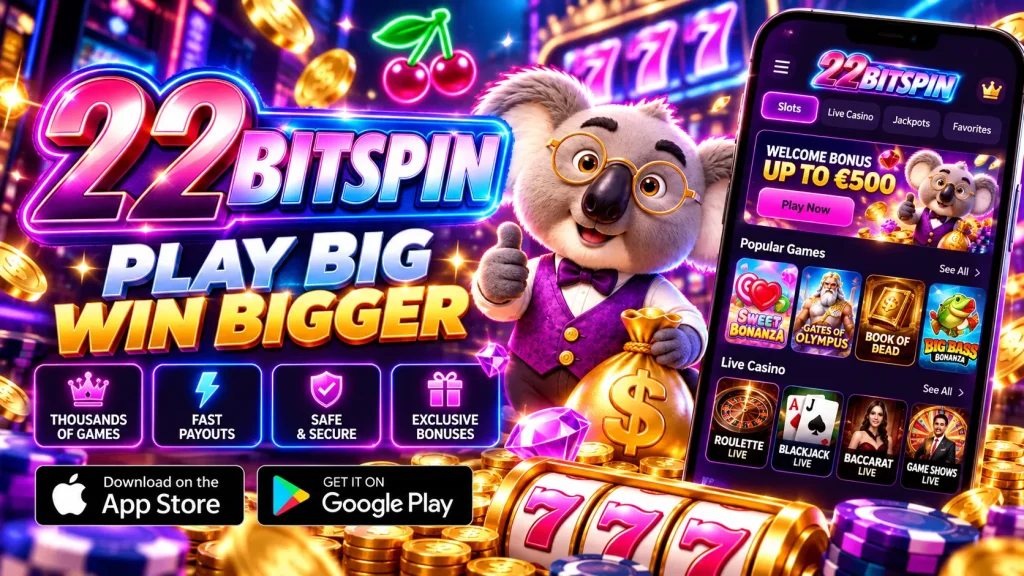
Most Australian players reach us from a phone, so we built the 22bitspin app for one-handed use, fast starts and zero clutter. Below, we explain how the 22bitspin app installs on Android and iPhone, what it needs to run, and how bonuses, deposits and cashouts work on a small screen. Our 22bit spin mobile experience is designed to get you from tap to lobby in seconds.
Getting Set Up on Android and iPhone
Google Play restricts real-money gambling apps in many regions, so we don’t rely on a store listing. On Android, open our site in Chrome, tap the 22bitspin app download button and save the APK file (roughly 60–80 MB). When Android asks about “Install unknown apps”, allow it for your browser only, tap Install, then open the app. You can switch that permission off afterwards. Only download from our official domain, never from a forwarded link.
On iPhone and iPad we use a web app, so there is no App Store file to wait for. Open our site in Safari, tap Share, choose “Add to Home Screen” and confirm the name. The 22bit spin app icon then opens full-screen without an address bar, and updates arrive automatically.
What Your Phone Needs
We kept the requirements modest, so most handsets from the last six or seven years run everything smoothly.
| Requirement | Android | iOS |
|---|---|---|
| Operating system | Android 8.0 or newer | iOS 13 or newer |
| Free storage | About 150–200 MB | Under 50 MB |
| Memory | 2 GB RAM or more | iPhone 7 or newer |
| Browser for setup | Chrome (latest) | Safari |
| Connection | Wi‑Fi or 4G/5G, around 5 Mbps recommended | |
Games stream from our servers, so you never download pokies one by one. Live dealer video uses more data, so we suggest Wi‑Fi or a solid 4G/5G signal for 22bitspin mobile sessions.
Built for Speed: What HTML5 Means for You
The 22bitspin app runs on HTML5, which matters more than it sounds. One build adapts to any phone or tablet, so layouts stay sharp on a compact iPhone or a large Samsung. Games are instant-play: they load directly, with no plugins and no extra download per title. Animations run close to native performance, and the lighter processing load is kinder to your battery and data plan. Most players reach the lobby within a few seconds of tapping the icon.
Compared with the browser, the 22bit spin mobile version adds a saved session, push alerts for promotions, one-tap access from your home screen and fingerprint or Face ID sign-in where your device supports it. Nothing is cut down from desktop: the same games, cashier and limits are all there.
From Sign-Up to First Spin
Registering through the 22bit spin app takes four quick steps: tap Register, enter your email and password, pick AUD or a crypto currency, and confirm you’re 18 or older. Large fields and the right keyboard for each box keep typing painless. After that, log in with biometrics, or enable “stay logged in” on a device only you use. If you forget your password, the reset link on the login screen sends an email within minutes. We suggest completing KYC early by uploading photo ID and proof of address to your 22bitspin account. Reviews usually take about a day, and early checks stop your first withdrawal from stalling.
Pokies, Live Tables and Mobile Bonuses
The 22bitspin mobile lobby carries our full catalogue: pokies including Megaways and jackpot titles, blackjack, roulette, baccarat and live dealer tables in HD. Studios such as Pragmatic Play and Evolution are typical of what you’ll find, and search and filter tools let you jump to a game by name or provider in seconds.
Welcome offers, free spins and loyalty perks can be claimed straight from the app, and push notifications flag new promotions. Every offer lists its wagering requirement, maximum bet and expiry before you opt in, so read those terms first. Figures change, so check the promotions page for current numbers. At 22bit spin, we would rather you understand a bonus than simply chase one.
Deposits and Withdrawals on Mobile
The cashier is designed for thumbs, and saved methods allow one-tap repeat deposits. Options vary by account, so confirm minimums, limits and any fees in the cashier before you pay.
| Method | Deposit | Withdrawal |
|---|---|---|
| Crypto (BTC, ETH, USDT) | Instant after network confirmation | Often within hours of approval |
| Visa / Mastercard | Instant | Typically 1–3 business days |
| Apple Pay / Google Pay | Instant, where available | Depends on method |
| Bank transfer / PayID | Same day, where available | Typically 1–3 business days |
Withdrawals pass a short internal check, then timing depends on the method, with crypto usually the fastest. You can follow each request’s status in your history, so you’re never left guessing about your money.
Security, Responsible Play and Support
Every connection is encrypted with TLS, payments run through secured processors and our games use certified random number generators. Please check the licensing details in our footer and make sure online play is permitted where you live. You must be 18 or older. Responsible gambling tools sit in your account menu: deposit limits, time-outs, self-exclusion and reality checks. If gambling stops being fun, call Gambling Help Online on 1800 858 858. Whether you use the 22bitspin app or a browser, our support team is on live chat 24/7, with email as a backup.
Fixing Common Problems
Most issues take under a minute to solve:
- Install blocked: enable “Install unknown apps” for your browser, free up at least 200 MB, and re-download the APK if you see a parsing error.
- App won’t open or loads slowly: update your OS, close background apps, switch between Wi‑Fi and mobile data, and clear the cache.
- Login trouble: check caps lock, reset your password, then re-enable biometrics in your device settings.
- No icon on iPhone: use Safari, not another browser, to add the home-screen shortcut.
Still stuck? Message us on live chat and we’ll walk you through it. The 22bitspin app is built to get you playing, not troubleshooting.